Loading...
Save/Publication Confirmation
Are you sure you want to save and publish this release note?
The current RN will be saved for the following edition(s): Aquila 6.0 SP2
The saved RN will include all Work Items for the selected edition(s), regardless of other filters.
Once saved, this RN will be accessible in 'View' mode of RNA for the chosen edition(s).
Save in progress...

Authentication Required for WIs images
An Azure DevOps token is missing!
Please log in to Azure DevOps to view the images in the release notes.
Once logged in, you can return here and reload this page.
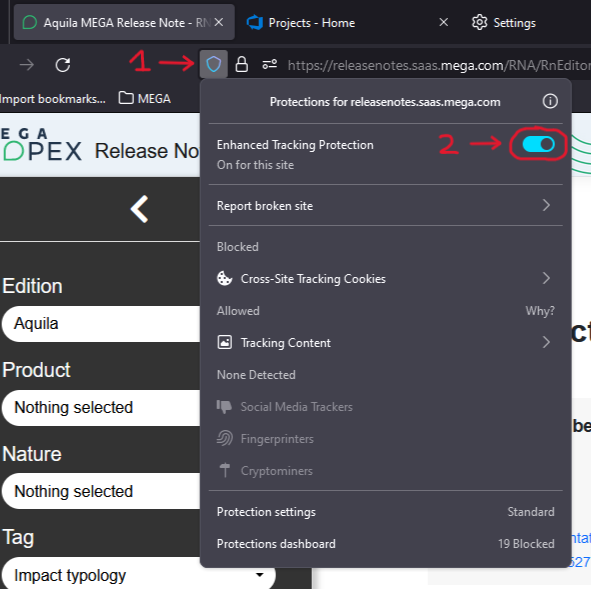
If you are using Firefox, please disable Enhanced Tracking Protection for RNA.
Click on the shield icon next to the URL bar, then turn off Enhanced Tracking Protection for this site.
Save in progress...
Aquila 6.0 SP2 Edition Release Notes
Display mode
| Case nr | WI nr | Title | Edition | |
|---|---|---|---|---|
| No Case | 106543 | Access rights to the Enterprise Portal can be defined according to User Groups | Change | Aquila 6.0 SP2;Aquila 6.1 |
|
It is now possible to configure the Enterprise Portal Application to restrict the access to the Portal to some users that are members of users group. These user groups are defined in the used Identity Provider tool. 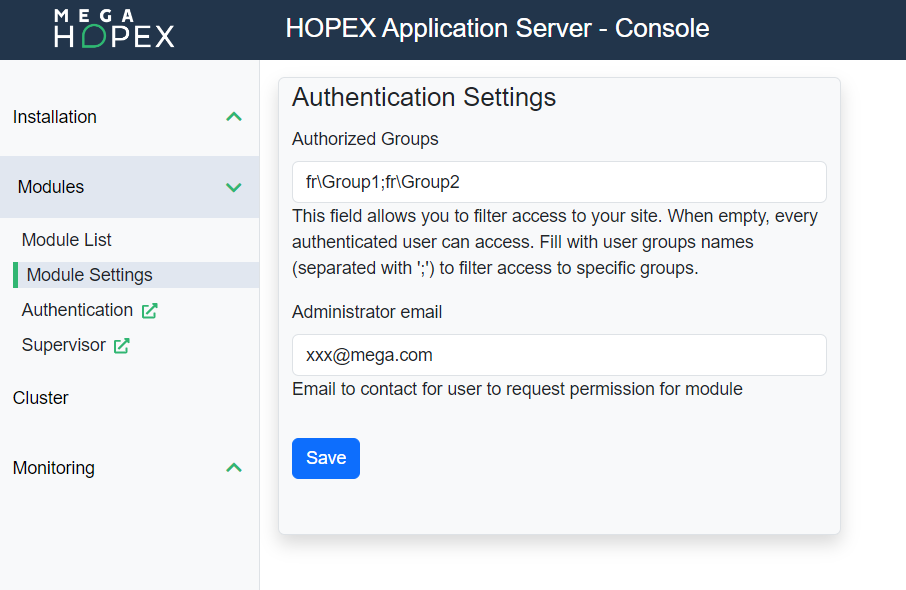 When a user is not authorized to access to the Enterprise portal, the following page shows up: 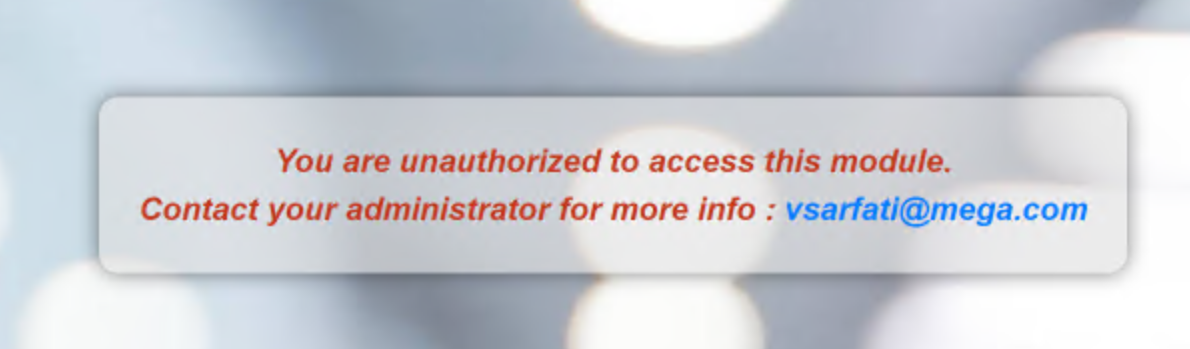 |
||||
1. Enterprise Portal Application Package
Change
-
Access rights to the Enterprise Portal can be defined according to User GroupsAquila 6.0 SP2;Aquila 6.1It is now possible to configure the Enterprise Portal Application to restrict the access to the Portal to some users that are members of users group.
These user groups are defined in the used Identity Provider tool.
When a user is not authorized to access to the Enterprise portal, the following page shows up:
Internal reference 106543#Operations#Administrator